
Eternal Toolbox Blender Addon
Evaluated Truth Dimensions and Precision Scaling for Blender. See true real-world dimensions through your entire modifier stack and scale edit mode selections instantly.

Engineered for Precision
Mathematical accuracy and workflow speed built directly into Blender's viewport.
Evaluated Truth Dimensions
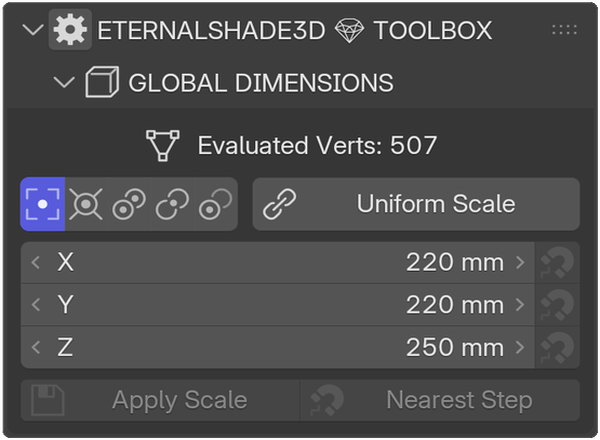
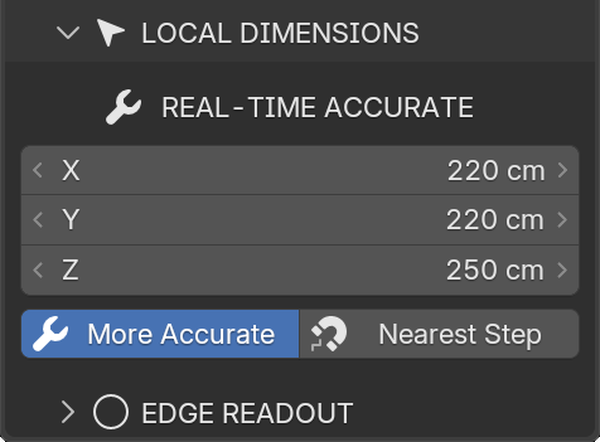
Blender natively shows cage sizes, completely ignoring modifiers. Truth Dimensions reads evaluated geometry across Subdivision, Bevel, and Geometry Nodes in real time.
Edit Mode Selection Scaling
Select faces, edges, or vertices and view exact dimensions. Scale geometry to precise values (e.g. 30 cm) while maintaining your active Transform Pivot Point.
Also Included in Eternal Toolbox
Smart Origin Alignment
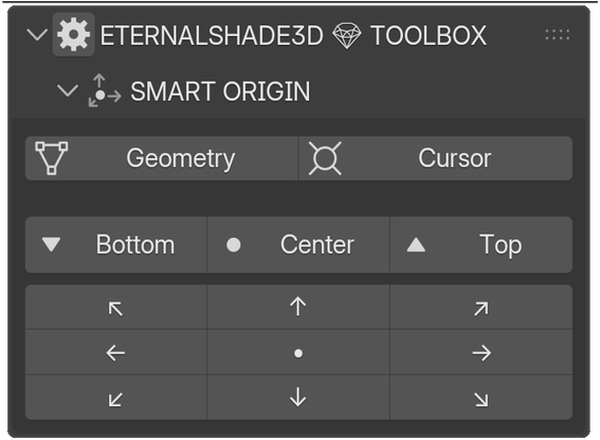
9-point compass grid, geometry median center, and 3D cursor snapping.
Dynamic Naming Engine
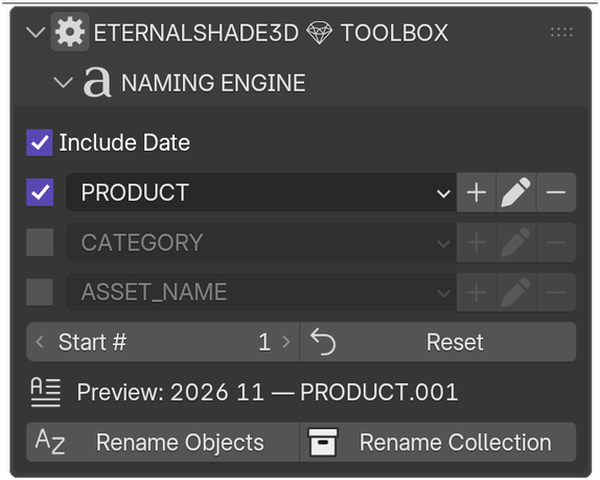
Preset-based asset naming with customizable date prefixing & batch indexing.
Scene Hygiene
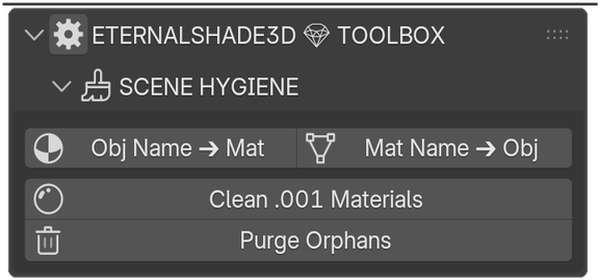
One-click duplicate material cleanup (.001) and recursive orphan data purging.
Camera Screenshots
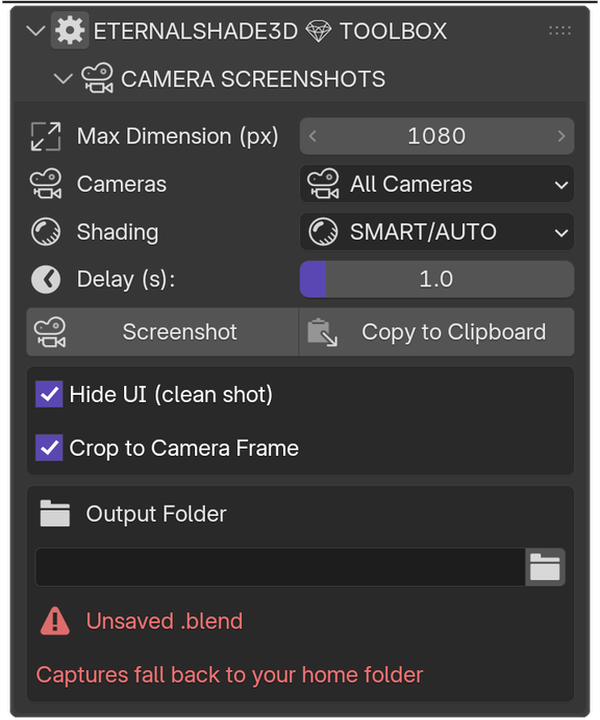
Batch capture every scene camera with auto-cropped frame and clean overlays.
Color Utilities
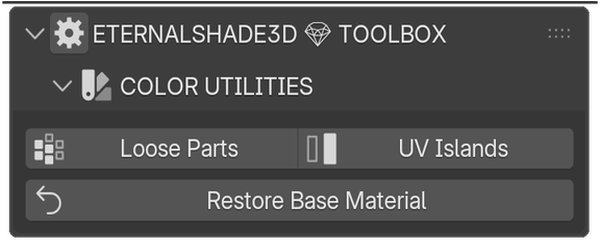
Assign visual debugging colors across loose mesh parts and UV islands.
Perimeter & Edge Readout
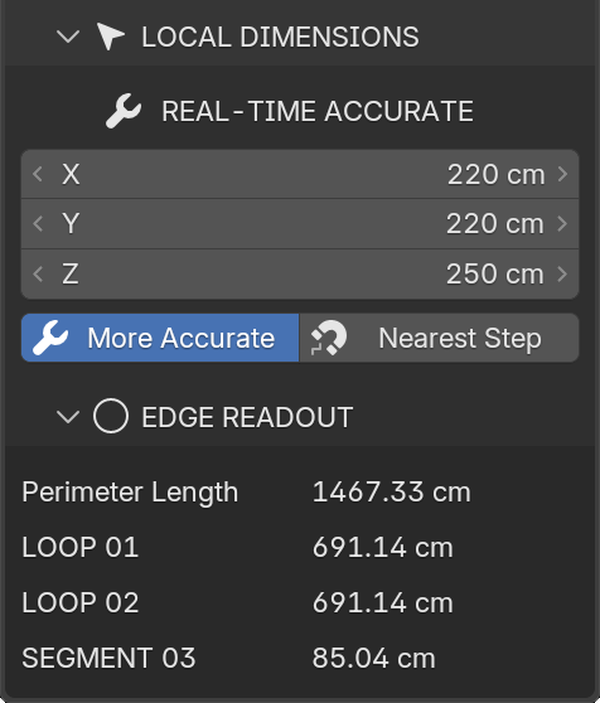
Closed-loop perimeter length and open segment edge measurements.
See It In Action
See how Eternal Toolbox solves default Blender limitations in real scenarios.
Showcase 01: Type a Size, Get That Size
Global and local dimensions in one pass, captured inside Blender. Open on YouTube

Accurate Object & Edit Mode Overview
Seamlessly switch between Object and Edit mode with real-time dimension feedback and pivot controls.

Truth Dimensions vs Native Cage
Native Blender misleads cage dimensions (29.2 cm), while Eternal calculates true evaluated size (25 cm).

Edit Mode Measurement
Eliminate guessing in Edit Mode with instant numerical measurement displays for selected components.

Pivot-Based Precision Resizing
Resize local selections accurately based on 3D Cursor or Custom Pivot locations.

Multi-Object Bounding Bounds
Pin global dimensions across multiple selected objects accurately in real time.

Batch Naming Engine
Organize scene hierarchies automatically using custom presets and dropdown list rules.

Color Utilities Debugging
Assign instant random color passes to loose mesh parts and UV islands for visual inspection.
Modular Panels Breakdown
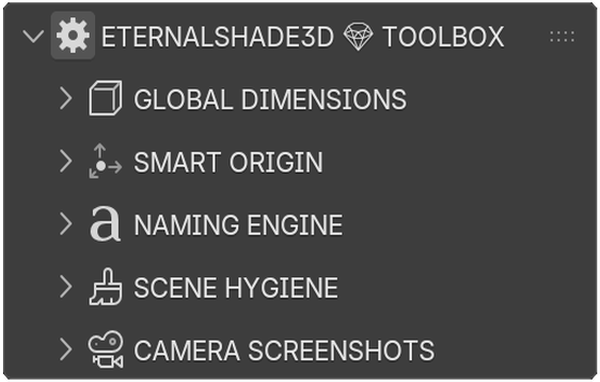
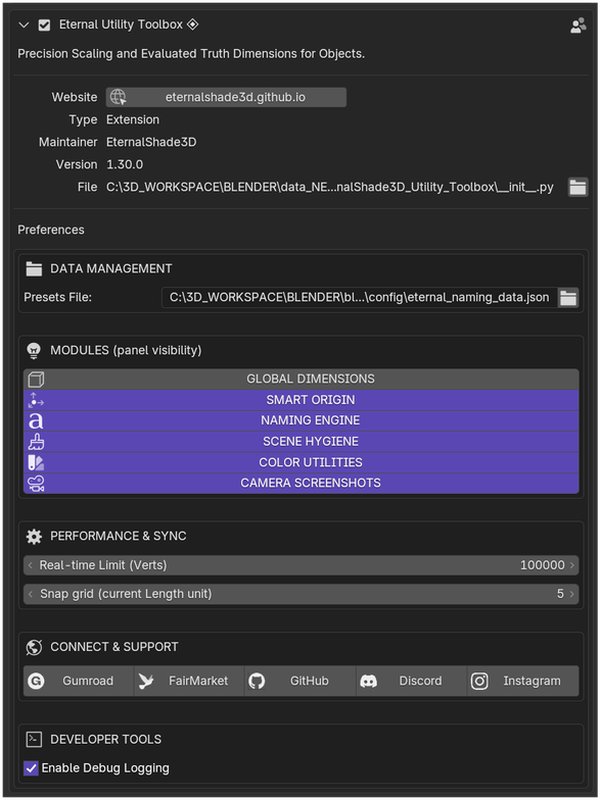
Clean, independent modules built natively for Blender N-panel workflow.
Get Eternal Toolbox
Single purchase, lifetime updates, and complete support.

Gumroad Store
- ✓ See the real size even with modifiers
- ✓ Every future module included
- ✓ Direct support by GitHub & Discord
- ✓ Install and start sizing in a minute

FairMarket Store
- ✓ Instant access to the download
- ✓ Every future module included
- ✓ Ask questions on the product page
- ✓ Marketplace-verified listing

BlendSwap Store
- ✓ Client-ready sizes, no re-measuring
- ✓ Royalty-free, personal and commercial
- ✓ Games, film, print, client work
- ✓ Reshape it for your pipeline
Documentation & Guides
Everything you need to master precision modeling in Blender.
⚙️ Technical Specifications
| Blender | 4.2 LTS and later |
|---|---|
| Type | Extension, installs like a classic addon |
| Modes | Object Mode and Edit Mode |
| Dimensions from | Evaluated geometry, modifiers included |
| Pivots | Median, 3D Cursor, Active Element |
| Units | Metric and imperial |
📦 Installation & Setup Guide
Requirements
- Blender 4.2 LTS or later, installed through the extension manifest
- Compatible with Windows, macOS, and Linux
Installation Steps
- Download the
.zipfile after purchase. - In Blender, navigate to Edit → Preferences → Add-ons.
- Click the drop-down menu in the top right and choose Install from Disk...
- Select your downloaded
.zipfile and enable Eternal Toolbox ◈. - Press N in the 3D Viewport to open the sidebar.
📐 Dimensions & Truth Mode Guide
Native Blender object.dimensions only reports the raw un-evaluated vertex cage. If you apply a Solidify, Subdivision Surface, or Geometry Nodes modifier, native Blender dimensions remain unchanged.
Truth Mode continuously evaluates the dependency graph (Depsgraph) output, ensuring your numeric readouts match real physical bounding dimensions.
🎯 Smart Origin Alignment
Easily realign an object's origin to any corner, edge, face bounding extreme, or internal median center using the 9-Point Compass grid interface:
← • → (Median Center)
↙ ↓ ↘ (Bottom Bounds Z-min)
❓ Frequently Asked Questions
Which Blender versions are supported?
Blender 4.2 LTS and later, supported through the extension manifest.
Is my purchase valid for multiple workstations?
Yes, standard individual licenses allow usage on your personal workstations.